
AI analysis for your Kaspi store: metrics review and recommendations
The “AI analysis” section reads your store metrics for you: it finds where sales are lost, how ads and bonuses perform, and suggests what to do first. You get conclusions in plain language instead of a hundred-row table.
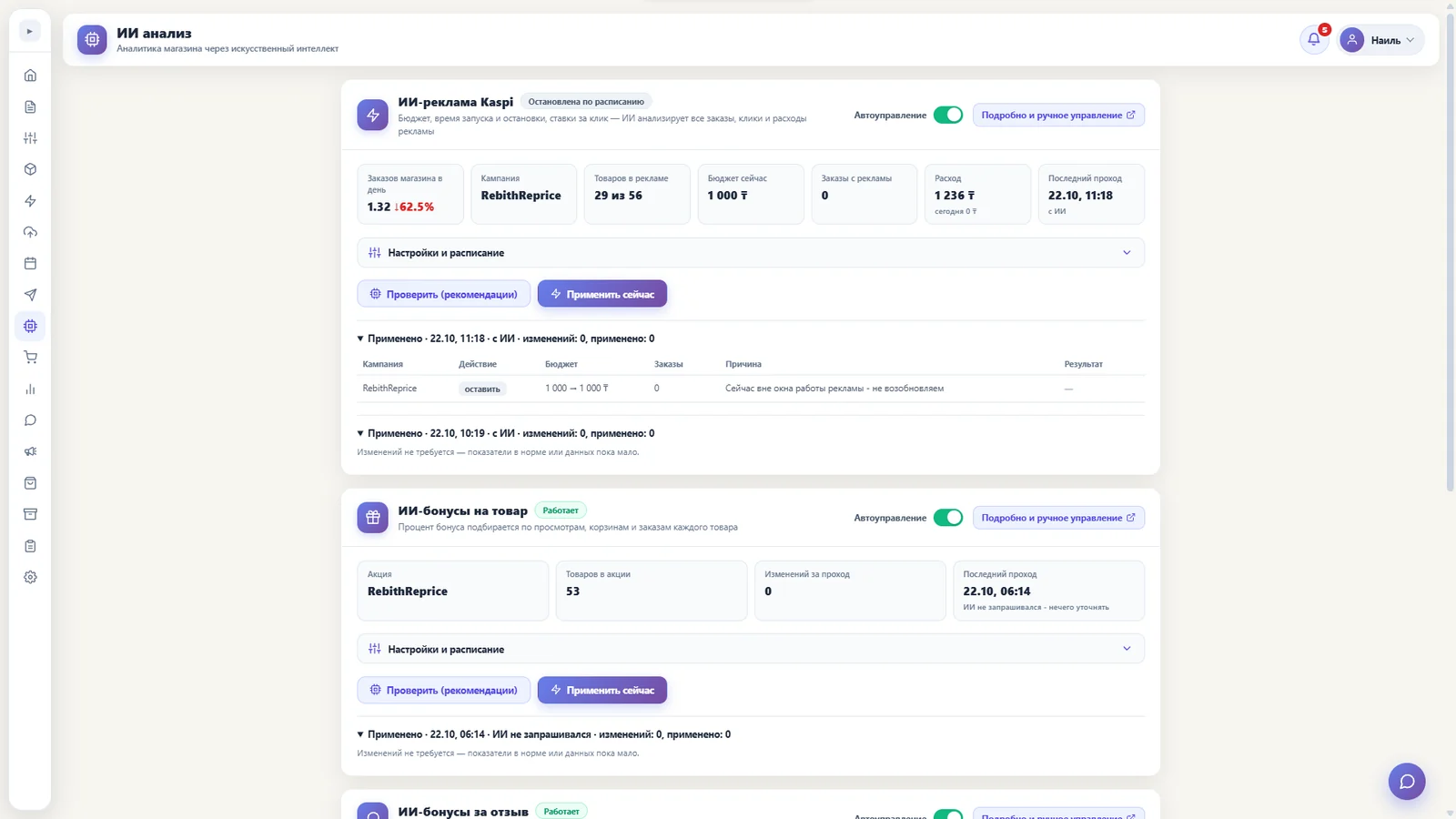
What AI analysis is
A Kaspi store has many metrics: sales, conversion, ads, bonuses, stock. Spotting a pattern in them takes time and experience — which a seller usually lacks, being busy packing orders and answering customers.
AI analysis takes over this review. It looks at your store data in the RebithReprice panel, compares metrics with each other and explains what is happening and what to do.
What it reviews
Ads and bonuses
Whether spending on ads and bonuses pays off and where it works worst.
Metric dynamics
What changed compared with the previous period and why it may matter.
Problem areas
Where sales leak: dips, mismatches and items worth a closer look.
Recommendations
Concrete next steps in order of importance, no generic phrases.
How the analysis works
- Open the “AI analysis” section in the panel — your store data is already connected, nothing to configure.
- Run the review. The AI studies the metrics and compares them with one another.
- Read the conclusions. The result is a short review and recommendations in plain language.
How to use the result
- Start with the main thing. Recommendations are ordered by importance — the first two or three steps are enough to feel the effect.
- Check it against the numbers. After making changes, open statistics again and compare: better or not.
- Repeat regularly. A store changes, so a review once a week or month shows what an ordinary report hides.
What to keep in mind
AI analysis is a helper, not an autopilot. It explains and suggests, while the decision to change a price, an ad bid or a purchase stays with you: you know your product and market better. Treat recommendations as a reason to test a hypothesis, not as an order.
| Without AI analysis | With AI analysis | |
|---|---|---|
| Metrics review | By hand, from spreadsheets | Automatic |
| Result | A set of numbers | Conclusions and steps |
| Time | Hours | Minutes |
| Analyst experience needed | Yes | No |
Works together with statistics
AI analysis relies on the same data as the “Statistics” section: charts show what happened, and the review explains why and what to do. More about charts on the page statistics in the Kaspi bot.
Who AI analysis is for
- Sellers without an analyst. No need to hire someone to figure out why sales dipped or ads don’t pay off.
- Those spending on ads and bonuses. The review shows which spending works and where money is wasted.
- Growing stores. The more products and orders, the harder it is to spot a problem by hand — the AI scans everything at once.
Even a small store benefits from an outside view once a month: the AI doesn’t tire, doesn’t get used to the numbers and notices what daily work makes you overlook.
How to connect
Sign up and connect your Kaspi.kz store in the panel with your seller ID and API token. The “AI analysis” module is not in every plan: what your plan includes is shown in your cabinet and on the page pricingpage. If you need help connecting — message us, the WhatsApp link is on the contacts page.
Frequently asked questions
What does the “AI analysis” section do?
It reviews your store metrics, including ads and bonuses, and gives conclusions and recommendations in plain language — what to look at first.
Does the AI make decisions for me?
No. AI analysis suggests and explains; the decision — to change a price, a bid or a purchase — stays with you.
How is AI analysis different from the AI assistant?
AI analysis reviews store metrics and gives recommendations. The AI assistant is a chat helper for panel features: it explains how to set things up.
Is AI analysis in every plan?
It is a separate module, and the feature set depends on the plan. What yours includes is shown in your cabinet and on the pricing page; the module can be added separately.
Try it for free
Registration takes a minute. Pay only after you're sure the bot works on your products.
Sign up →