
Keep Kaspi preorders under control
Sell products on preorder, notify buyers about delays and manage preorder dates in one panel.
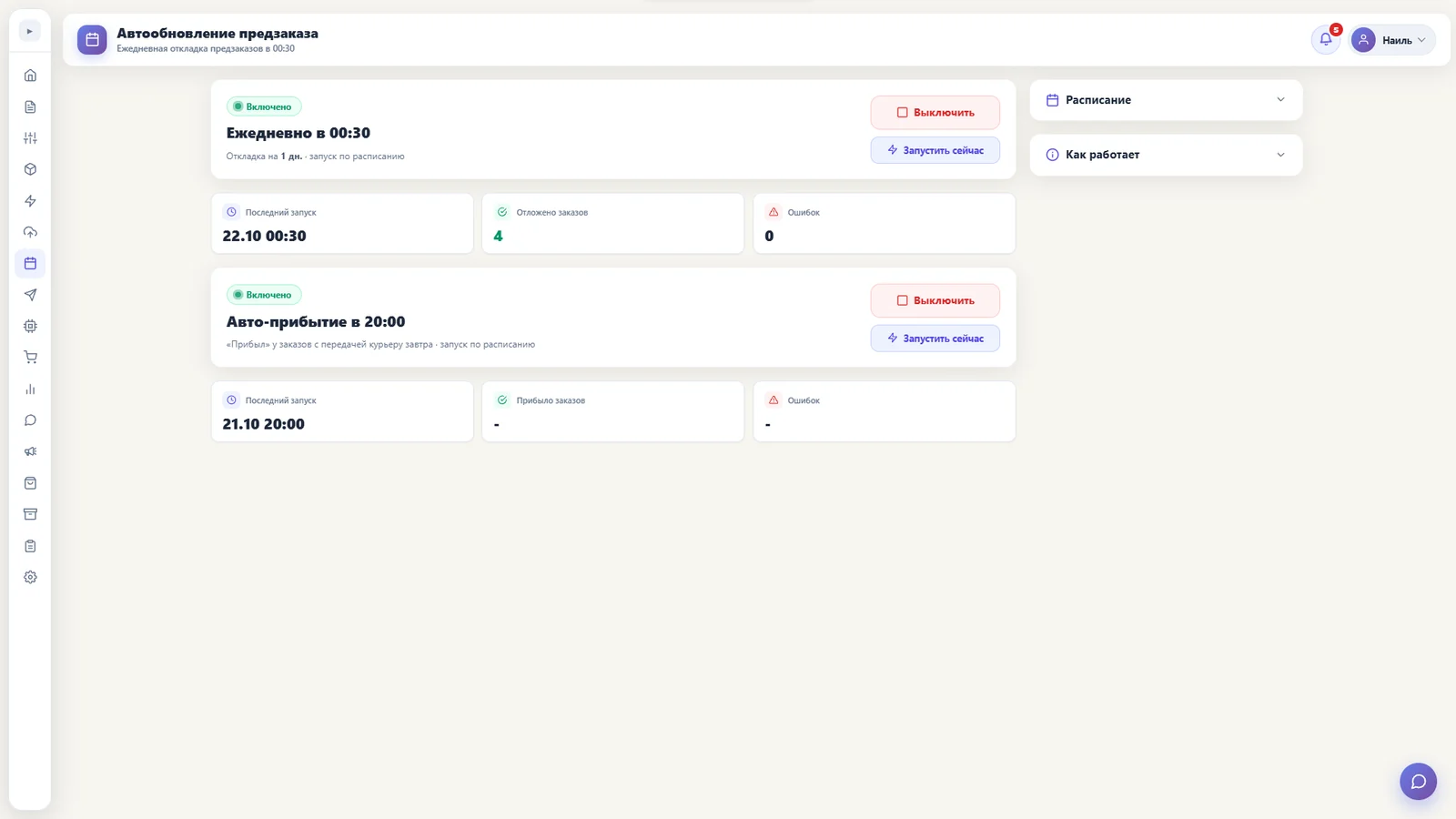
How to start selling on preorder
- In the price list or warehouse, set the preorder period in days, for example 17.
- For the warehouse in use, set a quantity greater than zero or yes for unlimited availability.
- Once the data is updated in Kaspi, the buyer can order the product with the specified preorder period.
If the product is delayed
Automatic postponement
If a product is delayed, automatic postponement moves the order date according to the selected mode and schedule.
Message to the buyer
On the first automatic postponement, the buyer receives a delay notice in Kaspi chat if messaging and the “Delivery postponement” event are enabled.
After the fifth day of postponement
Kaspi does not allow postponement for more than five days. After the fifth day, automatic arrival marks the order “Arrived” and moves it to packing to reduce the risk of cancellation and harm to store metrics.
The “Arrived” status changes the order state in Kaspi; it does not itself mean that the product has physically arrived. Track actual arrival and readiness for handover.
How to set up automation
- Connect your store and check that Kaspi sign-in works.
- Set the schedule and postponement mode in the preorder section, then enable automatic postponement. The schedule uses the time zone in settings.
- In “Kaspi chat messaging”, enable messaging and the “Delivery postponement” event to notify the buyer on the first postponement.
- Check the last run time, results and errors in the preorder and messaging logs.
Frequently asked questions
How do I list a product for preorder?
Set the period in days, for example 17, and warehouse availability: a number above zero or yes for unlimited quantity.
When does the buyer receive a delay message?
On the first automatic postponement, if Kaspi chat messaging and the “Delivery postponement” event are enabled.
What happens after five days of postponement?
Kaspi does not allow postponement for more than five days. After the fifth day, automatic arrival is triggered and the order moves to packing.
Where can I check the results?
The preorder section shows the last run time, processed orders, errors and the log.
Try it for free
Registration takes a minute. Pay only after you're sure the bot works on your products.
Sign up →