
AI features for your Kaspi store
Chat with your AI assistant, reply to customers and forecast sales. Plan purchases and manage Kaspi ads and bonuses while staying in control.
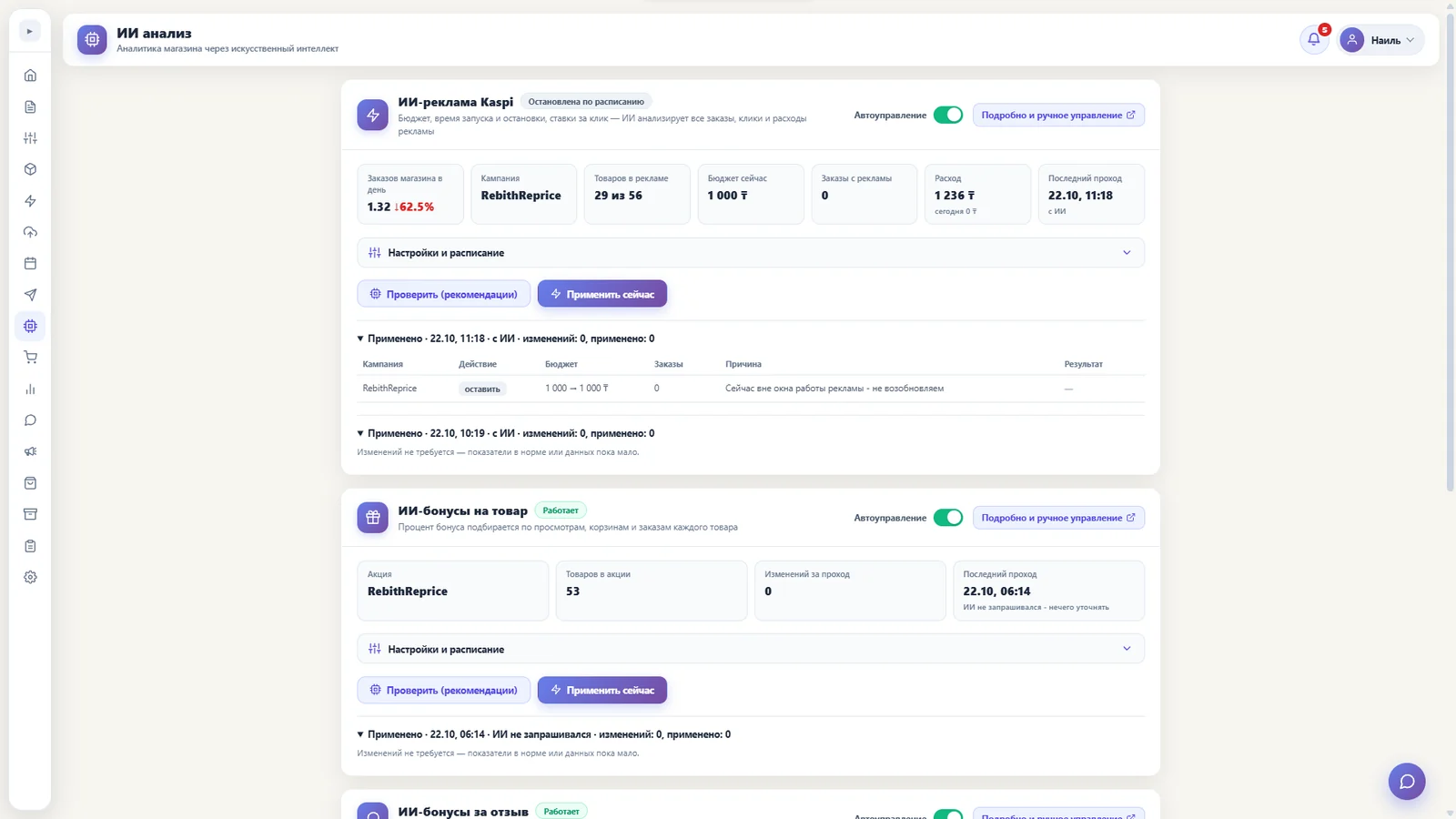
Tools for store decisions
AI assistant
Ask about orders, products and stock in plain language. The assistant can suggest price or stock changes but applies them only after your confirmation. Requires the separate AI assistant module.
AI replies to buyers
Draft replies in Kaspi chat in Russian and Kazakh. Auto-replies are off by default; disputed cases are left to a person. Requires the Messaging and chat module.
Translation and HS code
Translate product names into Kazakh and suggest a customs classification code from the photo and name when sending to NCT. These tools require the NCT Kazakhstan integration module.
Sales forecast
Choose one, two or three months, or six months. The forecast shows potential changes in demand by product and overall findings. It can take up to five minutes and is an estimate, not a sales guarantee.
Purchase planning
The bot compares the last 30 days of sales with stock and estimates purchases for the next 30 days. The table covers up to 40 products; AI adds findings and recommendations.
Compare orders with stock
Check whether stock covers accepted orders. The report includes up to 100 items, and AI explains potential issues.
AI advertising
Get suggestions for your Kaspi campaign budget, bids and display times. You can enable application of decisions and scheduled checks.
AI bonuses
Select product and review bonuses. Limits and margin protection help keep proposed changes within your settings.
AI replies in Kaspi chat
AI considers the conversation, order details and store rules, identifies the buyer’s language and prepares a reply. You can review, edit and send the draft yourself.
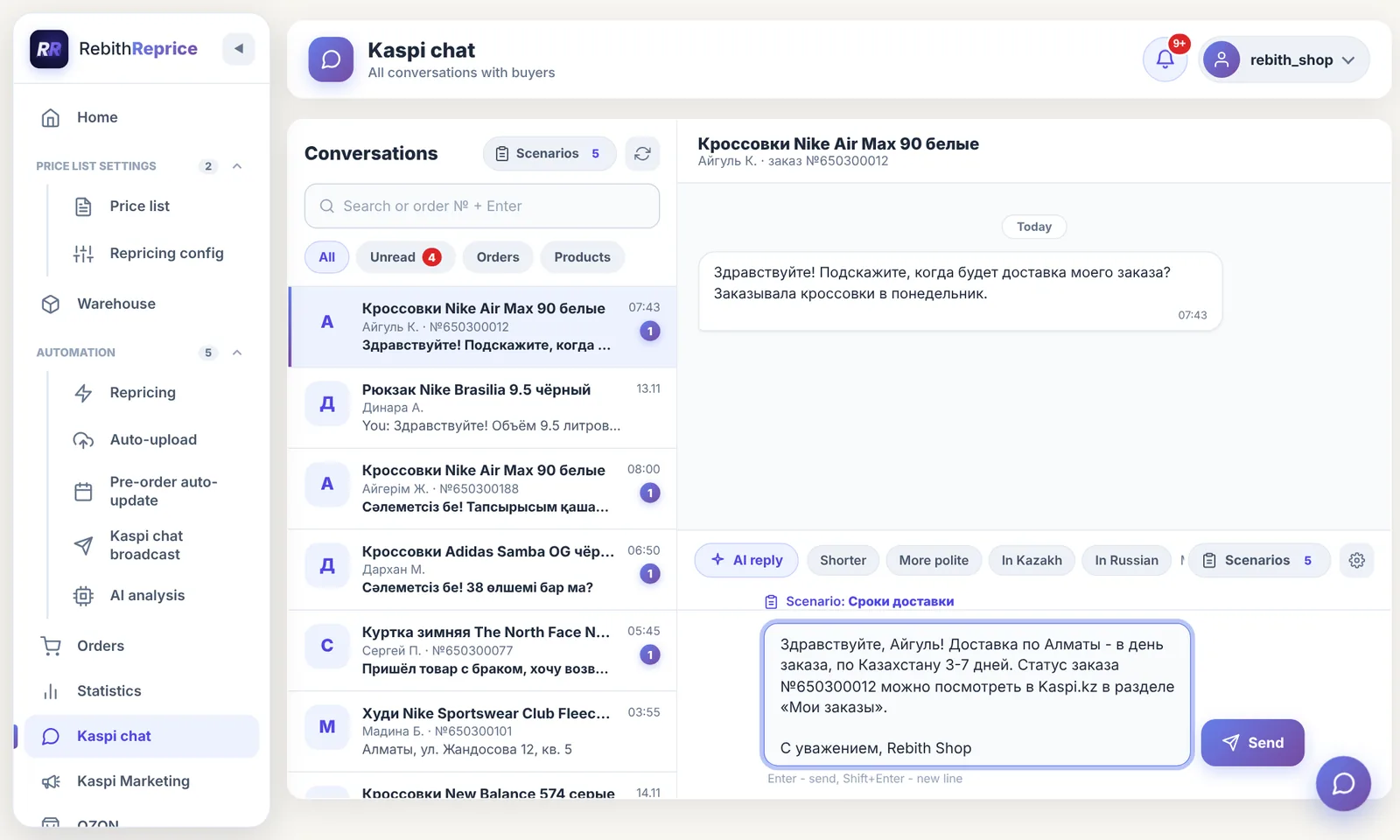
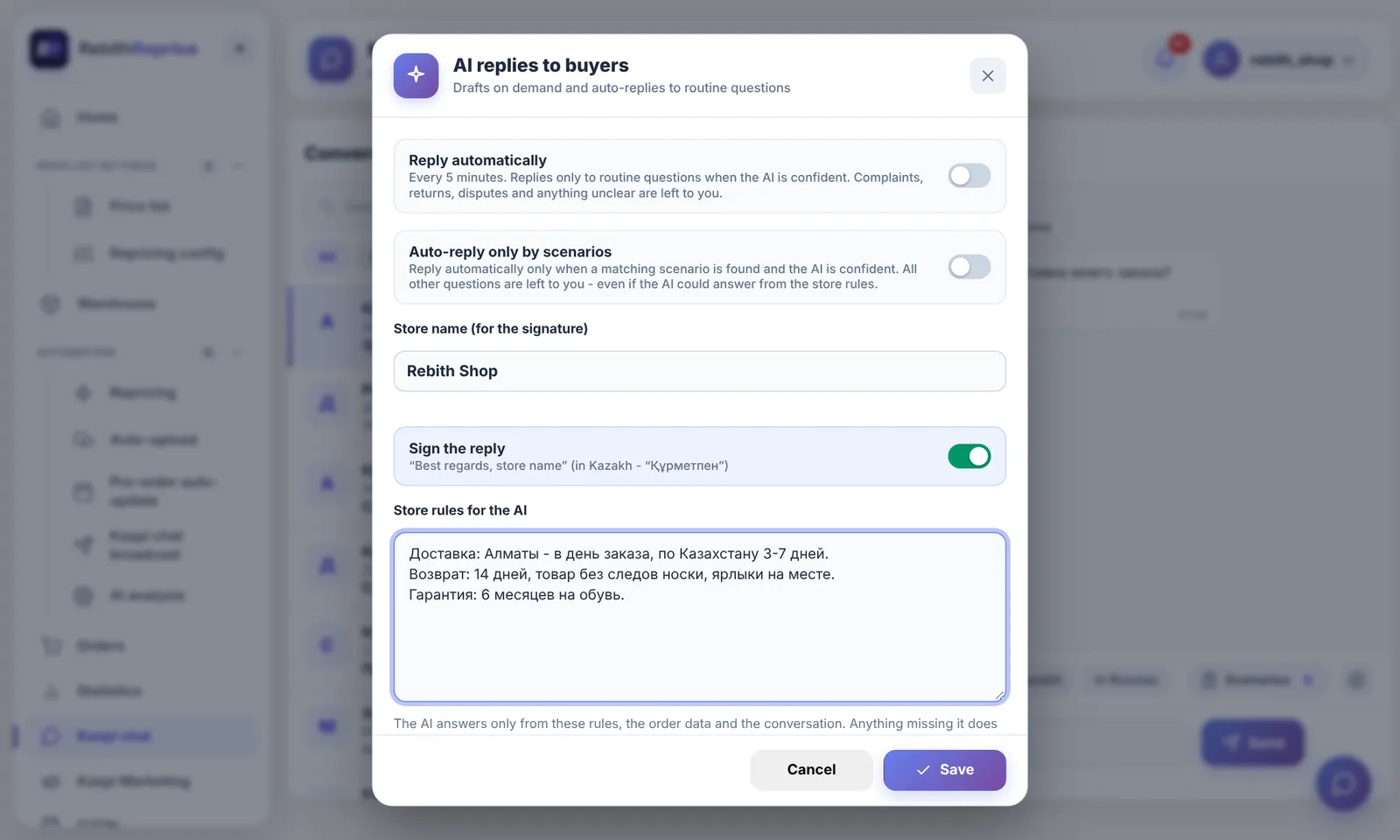
From draft to auto-reply
Auto-reply is off by default. When enabled, the bot answers suitable routine questions subject to the confidence threshold; complaints, disputes and other complex cases are left to a person.
You can set store rules and scenarios for common questions. The feature requires the “Messaging and chat” module and permission to send messages. Read the documentation →
How to use it
- Connect your store and check your plan modules: AI features, AI assistant, messaging and chat, and NCT Kazakhstan integration.
- In the panel, choose a forecast, purchase analysis or order comparison and run it. For ads and bonuses, sign in to Kaspi Marketing and check your settings.
- Review the tables and recommendations. To send ad or bonus decisions to Kaspi, enable application separately and set limits.
You stay in control
Ads and bonuses default to recommendations only: the bot shows suggestions without changing Kaspi. Automatic management and application are configured separately. Budget and bid limits apply to ads; bonus limits and margin protection apply to bonuses.
Purchase and stock comparison tables are calculated from store data; AI adds written conclusions. If the AI service is unavailable, those tables remain available without the conclusions. Sales forecasting uses the AI service.
What you need
Availability depends on your plan modules. Ads and bonuses also require signing in to marketing.kaspi.kz. Check your plan in your account and contact support if you need help.
Frequently asked questions
What tools are included in AI features?
An AI assistant, customer replies, sales forecasts, purchase and order analysis, and tools for Kaspi ads and bonuses.
Does AI change ads and bonuses automatically?
By default only recommendations are shown. Applying changes is enabled separately; configured limits apply to ads and bonuses.
What happens if AI is unavailable?
Purchase and stock comparison tables are available without AI, but without written conclusions. Sales forecasting depends on the AI service.
How do I enable AI features?
Check your plan modules: the assistant and chat replies require separate modules. Ads and bonuses also require a Kaspi Marketing login.
Try it for free
Registration takes a minute. Pay only after you're sure the bot works on your products.
Sign up →